AI tools now assist with design, copywriting, coding, and testing, dramatically reducing redesign timelines. Use them to automate repetitive work, generate layout options, and ship faster, but keep human oversight for brand voice, strategy, and quality control.
Redesigning a website used to mean weeks of wireframes, revisions, and slow back-and-forth between designers, developers, and content teams. Today, artificial intelligence is reshaping that process. AI tools for website redesign and faster builds can now handle repetitive tasks, generate design options in minutes, and write clean code from plain descriptions.
For owners and decision-makers at small and mid-sized businesses, this shift matters. A faster redesign means less downtime, lower costs, and a quicker path to a site that actually converts. But the tools are only as good as the strategy behind them. In this guide, you will learn where AI delivers real value, which categories of tools to explore, and how to use them without sacrificing quality or brand identity.
Why AI Is Changing the Redesign Process
A traditional website redesign carries a lot of hidden friction. Designers wait on content, developers wait on approved designs, and every round of feedback adds days. AI removes much of this friction by compressing tasks that once required specialized effort.
Consider what this looks like in practice. Instead of staring at a blank canvas, you can generate several layout directions instantly and refine from there. Instead of writing every line of placeholder copy, you can produce draft content in seconds. Instead of manually coding a responsive grid, you can describe it and receive working markup.
The result is not just speed. It is momentum. Projects stall when teams hit creative blocks or administrative bottlenecks. AI keeps work moving by always offering a starting point, which is often the hardest part of any redesign.
It is worth being clear about expectations, though. AI accelerates the production side of a redesign. It does not replace strategic thinking about who your customers are, what they need, and how your site should guide them toward a decision. The best outcomes come from pairing fast tooling with sharp strategy.
Categories of AI Tools That Speed Up Builds
Rather than chasing individual product names, it helps to think in categories. Each addresses a different stage of the redesign.
Design and layout generation. AI design tools can produce full page layouts, suggest color palettes, and create variations on a theme. These are ideal for early exploration when you want to see multiple directions quickly. Many integrate directly with popular design platforms, so you can refine AI-generated frames with your own hands.
Content and copywriting. Writing assistants can draft headlines, product descriptions, service pages, and calls to action. They are especially useful for filling out structure so your team can review real-feeling content instead of "lorem ipsum." You will still edit for accuracy and voice, but the first draft arrives in minutes.
Code generation and front-end development. AI coding assistants translate descriptions or designs into HTML, CSS, and JavaScript. Some tools convert a design file directly into components, while others help developers write, debug, and refactor code faster inside their editor. This cuts development hours significantly on routine builds.
Image and asset creation. AI image generators and editors remove backgrounds, upscale photos, and create custom illustrations or hero visuals. This reduces reliance on expensive stock libraries and shortens the asset-gathering phase that often delays launches.
Testing and optimization. AI-driven tools can run accessibility checks, suggest performance improvements, and even predict how users might interact with a layout. Used before launch, they catch issues that would otherwise surface as complaints later.
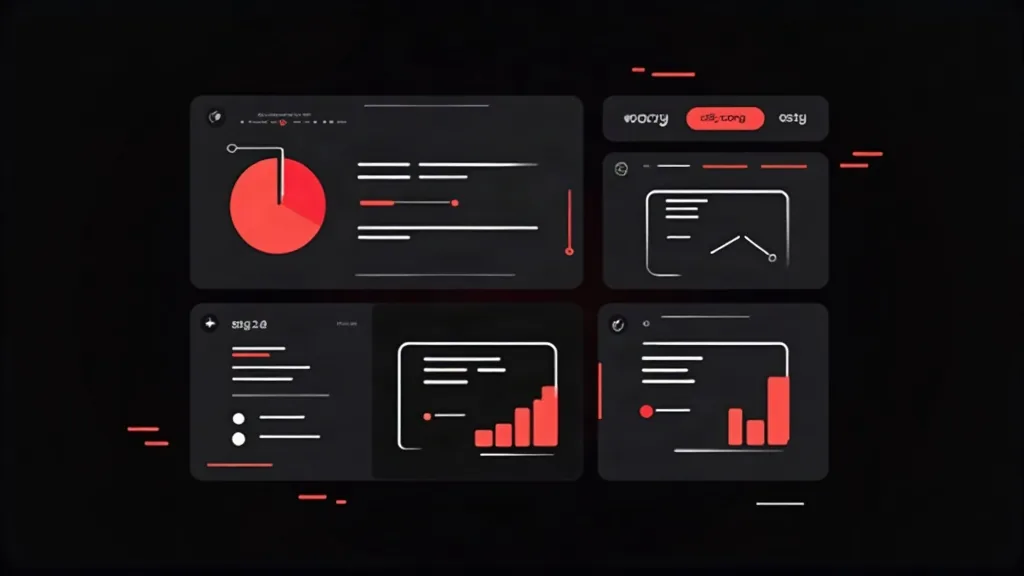
How to Build a Faster Workflow With AI
Having powerful tools is not the same as having a fast process. To get real speed, you need a workflow that puts AI at the right points.
Start by defining your goals and site structure before touching any tool. Decide what pages you need, what each one should accomplish, and what action you want visitors to take. This planning step takes AI from a random idea generator to a focused assistant.
Next, use AI for rapid prototyping. Generate two or three layout concepts and present them internally for quick decisions. Resist the urge to polish early; the goal is to choose a direction, not to perfect it.
Once a direction is set, layer in AI-generated content and assets to populate the design. Seeing realistic text and images helps you judge spacing, hierarchy, and flow far better than placeholder blocks.
Then move to development, using AI coding assistants to accelerate the build. Developers should treat AI output as a strong first draft that needs review, not as finished production code. This keeps speed high while protecting quality.
Finally, run AI-assisted testing for performance, accessibility, and responsiveness before you go live. Fixing problems at this stage is far cheaper than fixing them after launch.
The principle running through all of this is simple: use AI to eliminate blank pages and repetitive tasks, and reserve human judgment for decisions that require taste, context, and strategy.
Avoiding the Common Pitfalls
AI can speed up a redesign, but it can also create problems if used carelessly. Being aware of the risks helps you capture the benefits without the downsides.
The most common mistake is shipping generic output. AI tends toward safe, average results because it draws on patterns from across the web. If you publish AI content and designs without refinement, your site may look and sound like everyone else's. Your brand's distinctiveness is a competitive asset, so always add your voice, your real customer insights, and your unique value proposition.
Another pitfall is overlooking accuracy. AI-generated copy can state facts incorrectly or make claims your business cannot support. Every piece of content needs human review, especially pricing, guarantees, and technical details.
Technical quality is a third concern. AI-generated code can be bloated, insecure, or inconsistent if nobody reviews it. A skilled developer should always validate output, check for security issues, and ensure the code meets your performance standards.
Finally, do not neglect SEO fundamentals. Speed is tempting, but a redesign that ignores URL structure, redirects, metadata, and existing rankings can wipe out hard-won search visibility. Plan your SEO migration carefully, regardless of how fast the build goes.
When to Bring in Professional Support
AI tools lower the barrier to entry, which leads some businesses to attempt full redesigns in-house. For simple sites, that can work. For anything tied closely to revenue, a professional partner usually pays for itself.
The reason is that AI handles execution, not judgment. Deciding on positioning, crafting a conversion-focused user journey, protecting your search rankings, and ensuring technical excellence still require experience. A professional team uses the same AI tools you would, but applies them within a proven process and corrects their weaknesses.
Think of it this way: AI makes a skilled team dramatically faster, but it does not turn an untrained team into experts. If your website is a core driver of leads or sales, combining professional expertise with AI acceleration gives you the best of both worlds, a quicker timeline and a result you can trust.
If you are planning a redesign and want to move fast without cutting corners, this is exactly where an experienced agency adds value. The tools get you most of the way; the strategy and oversight get you across the finish line.
Conclusion
AI tools for website redesign and faster builds have genuinely changed what is possible. Tasks that once consumed weeks can now be compressed into days, giving your business a quicker route to a modern, high-performing site. Design generation, AI copywriting, code assistants, asset creation, and automated testing all contribute to a leaner, more responsive workflow.
The key is to treat AI as an accelerator rather than a replacement. Use it to remove blank pages, repetitive work, and bottlenecks, while keeping human judgment firmly in control of strategy, brand voice, and quality. Avoid generic output, review everything, and protect your SEO through the transition.
Do that, and your next redesign can be faster, more affordable, and more effective than anything you have launched before. If you want help combining smart AI workflows with expert strategy, Beeglantee can guide your redesign from first concept to launch.